
 Language
Related extensions:
Windows Aero Lite theme can help when you need to improve the performance of Windows 8 on a slow hardware or virtual systems.
Aero Lite theme allows Windows to disable various effects of full Aero theme and save system resources.
Aero Lite theme replaced the Windows Basic theme in older Windows 7 and Windows Vista.
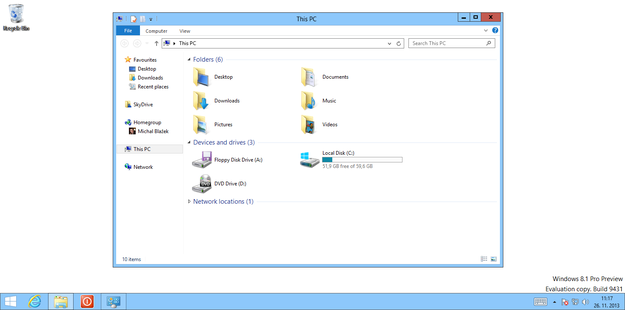
Windows 8 Aero Lite enabled
The final version of Windows 8 tries to enable Aero Lite automatically after a successful installation and hardware check and the user cannot it set manually in "Personalise" option like it was the case in test builds. However, with the following instructions will show you how you can do it.
Create Aero Lite theme file in Windows 8 and Windows 8.1
Go to the Windows 8 desktop → open Run option with Win + R shortcut type resources → click on OK button.
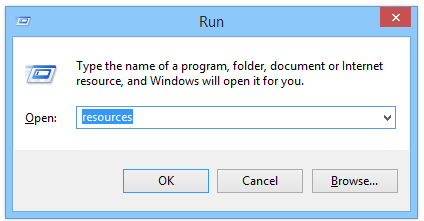
Run option
Open Themes subfolder in Resources and copy aero.theme file for example to desktop (Ctrl + C and Ctrl + V etc.).
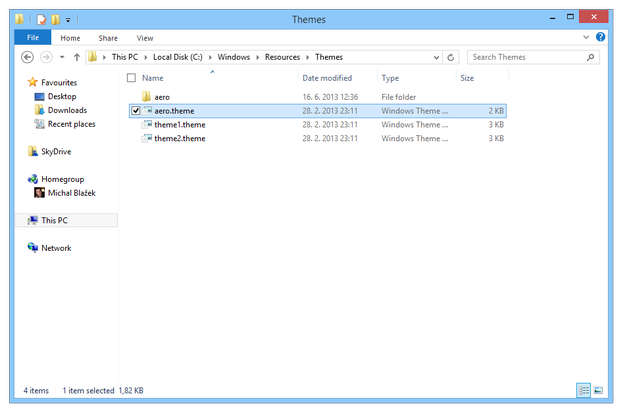
Themes folder in Resources
Open aero.theme in Notepad → click by right mouse button on file → Open with option → Select Notepad
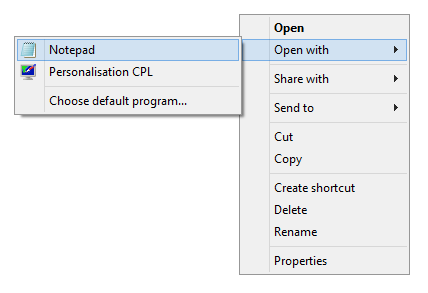
Edit .theme file with Notepad
Replace string DisplayName=@%SystemRoot%\System32\themeui.dll,-2013 with DisplayName=Aero Lite
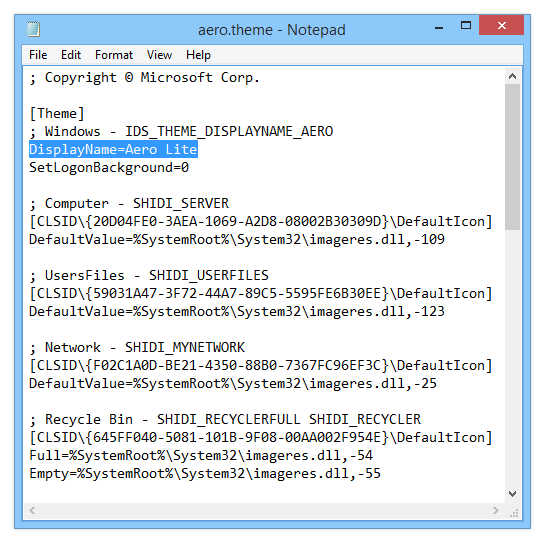
aero.theme editing
Replace string Path=%ResourceDir%\Themes\Aero\Aero.msstyles with Path=%ResourceDir%\Themes\Aero\aerolite.msstyles
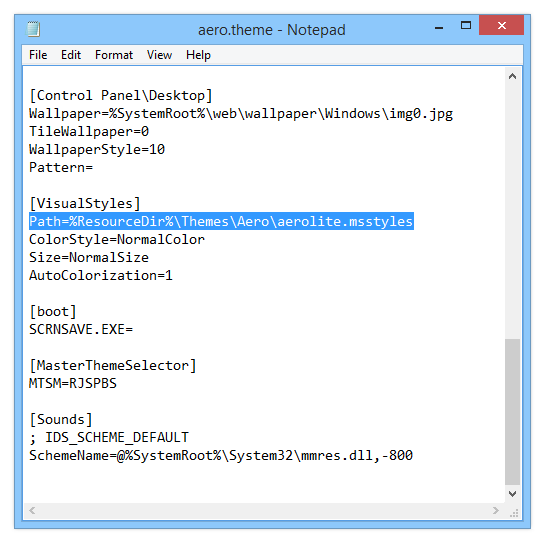
aero.theme eiditing
Click on File menu → Save → Close Notepad and rename aero.theme to aerolite.theme.
Copy the aerolite.theme file back to Resources\Themes folder.
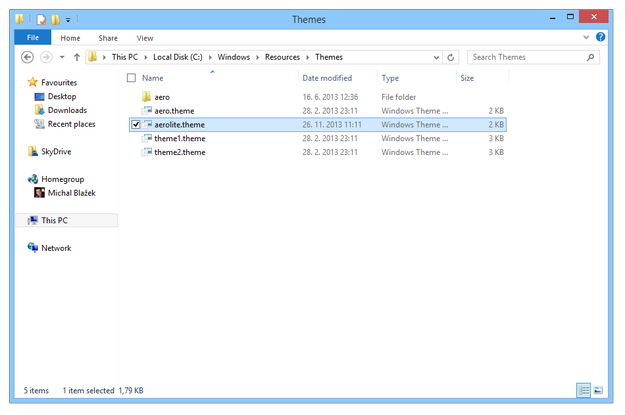
Copy aerolite.theme to Themes folder
Click by right mouse button on desktop → select Personalise option → Installed Themes and click on Aero Lite.
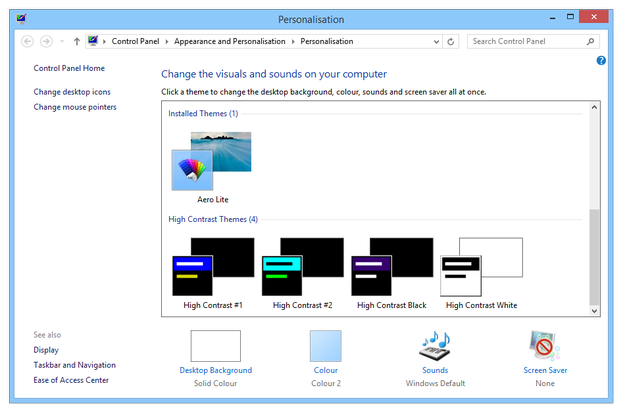
Select Aero Lite theme
Now various effects of full Windows Aero are disabled and you save system resources for faster work of your computer.