
 Language
Related extensions:
 In past few years, FLAC audio format, became a very popular choice for output format when ripping audio CDs or DVDs. FLAC is a lossless format, which means it contains identical copy of the data found on the physical disc. FLAC also uses compression, but because the compression algorithm is lossess, the reduction of the file size is not that great, and the FLAC files are roughly reduced to 50-60% of their original size.
That means, FLAC files are rather larger, compared to common MP3s . Not to speak about the fact, that FLAC format is not supported in most mobile devices without proper app (like VLC player) and it is close to impossible to use a FLAC audio file as ringtone.
While FLAC is great format to store your audio on hard drives, however because of its obvious limitations, it is rather poor choice for mobile devices. That's why the good ol' MP3 audio file format is needed.
There is plenty of self proclaimed "free" audio converters on internet that can be used to convert FLAC to MP3, but most of them are trial versions in disguise and either cannot process files of certain size before your register / buy the app, or have some other limitation.
We have found a completely free Koyote Soft's Free Mp3 Wma Converter, which is able to convert FLAC to other audio formats and we have decided to use it for our little tutorial on How to convert FLAC to MP3 for free.
Koyote Soft Free Mp3 Wma Converter
 Koyote Soft Free MP3 Wma Converter is a completely free audio utility, that can perform numerous types of conversion between audio formats, such as MP3, WMA, OGG, AAC, M4A, AC3, APE, FLAC, WAV. It is also localized in many languages.
While we will focus on FLAC to MP3 conversion in this article, it will also work for any other formats supported by this handy program.
Converting FLAC to MP3 with Koyote Free MP3 WMA Converter
First, if you already haven't, download and install Koyote Soft Free MP3 Wma Converter. You can find the link in the Related software section. After the installation is finished, start the application.
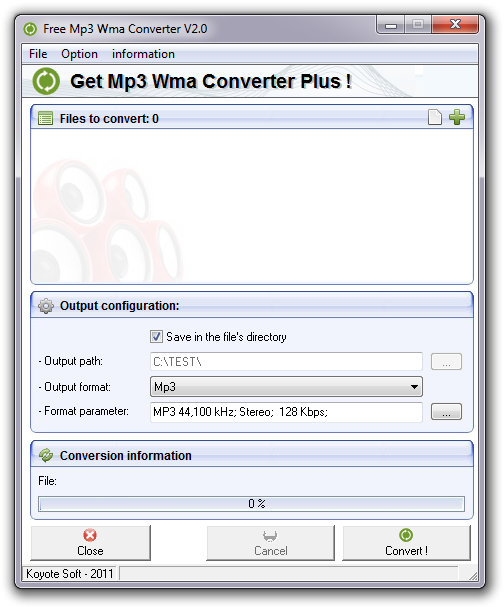
Koyote Soft Free MP3 Wma Converter.
Add audio files for conversion
Audio files for conversion can be added with the File → Add files (CTRL + F) menu option, or by clicking on the green plus icon. The application supports batch conversion, so you can add multiple files at once and convert in a batch with one click. You can also remove unwanted files with File → Remove files (CTRL + R) menu option, or by clicking on white empty file icon.
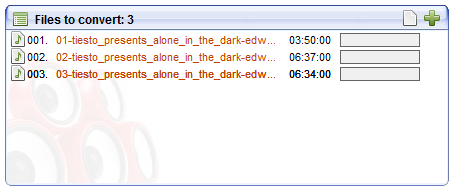
Audio files added for conversion detail.
Set output options
By default, the program saves output files in the same directory as the original ones. To change the output folder directly, deselect the Save in the file's directory box and manually select the output path to a folder on your hard drive.
In the box below, you can change the Output format you want your FLAC files to be converted in to. So for this tutorial, we have set it to MP3. But the program is not only limited to MP3 and also supports other audio formats.
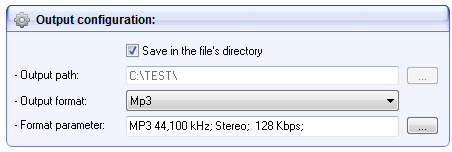
Output configuration settings detail.
Clicking on the ... next to Format parameter: box will prompt another window, in which you can tweak various parameters of the output file. If you do not understand technical stuff, rather leave it alone. Otherwise feel free to tweak whatever options you want and and finish your choices by clicking first on Apply and then on OK buttons.
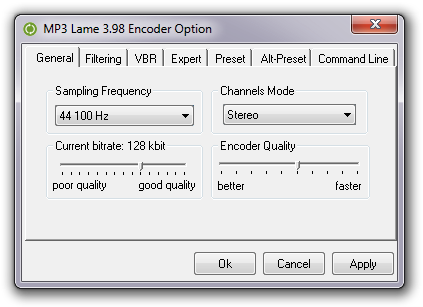
MP3 setting window detail.
Convert !
Recheck everything you have set, and if you are satisfied with your choices, click on the Convert ! button, or press CTRL + X (File → Convert !).
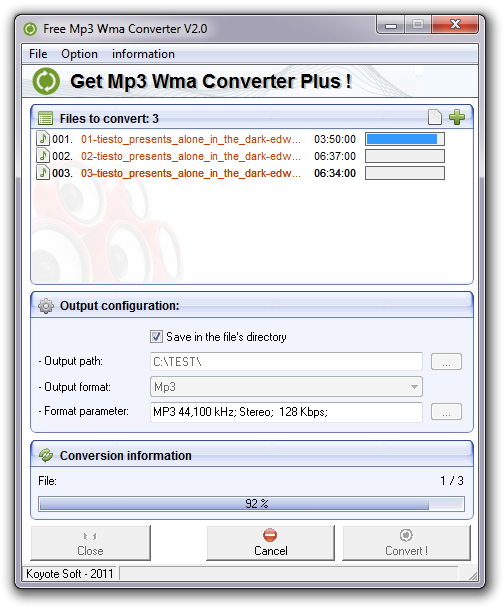
Conversion in progress.
And that's it. Your files should now be in process of being converted from FLAC to MP3, and you can find them in your output folder.