
 Language
Related extensions:
USB flash disk distribution of Mac OS X Lion
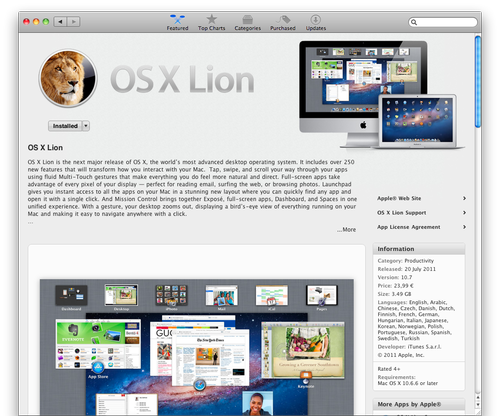
On 20th July 2011 Apple has released Mac OS X Lion. Lion is the eighth generation of the Mac OS X operating system for Apple PCs and servers. Apple announced about 250 new features in the Lion. In the first day more than on million of Mac OS X Lion copies were downloaded.
Lion costs $29.99 in the primary distribution channel Apple App Store . Installation DVD with Lion will be supplied only with new Mac computers. In August 2011 Apple is going to start distribution of the Mac OS X Lion on special installation USB flash disks, but their cost will be about $70. If you want to create your own cheap installation USB flash disk with Lion, that you have downloaded from App Store, follow instructions below.
How to create bootable installation flash disk of Mac OS X Lion
Mac OS X Lion USB flash disk installation must be created before you update your Mac, because after update process, the system will delete the installation application. The USB flash disk must have more than 5 GB of free capacity. Disk Utility that is used to create the USB Lion installation, will format the USB flash disk and all data saved on it will be deleted.
Mac OS X Lion has integrated recovery utility called Lion Recovery. Lion Recovery can restore Lion to default settings, like after clean installation. To run Lion Recovery press and hold Command + R keys during startup. DVD or USB Lion installation is useful if hard drive partitions in your Mac crashed or after installation of a new hard drive to your Mac, because Lion Recovery utility will be unavailable.
- Download the Mac OS X Lion update from the Apple App Store. After the download is finished, close the automatically opened installation window for the Lion update. If you want to re-download Lion installation application, open the App Store, hold the Option (Alt) key and click on Purchased button. App Store will offer you Lion installation to download again.
- In the Applications directory, App Store will create application called Install Mac OS X Lion.
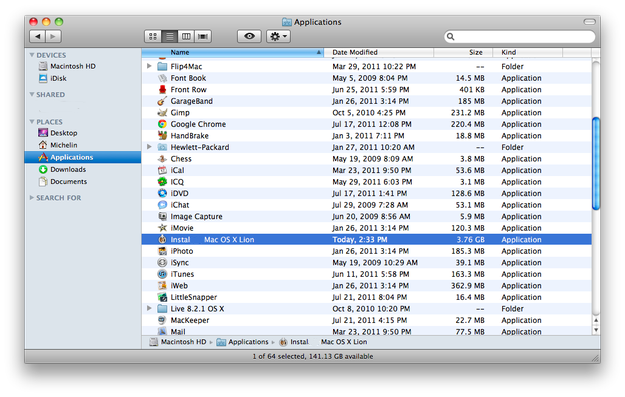
- Click the right mouse button on the Lion installer and select the Show Package Contents option.

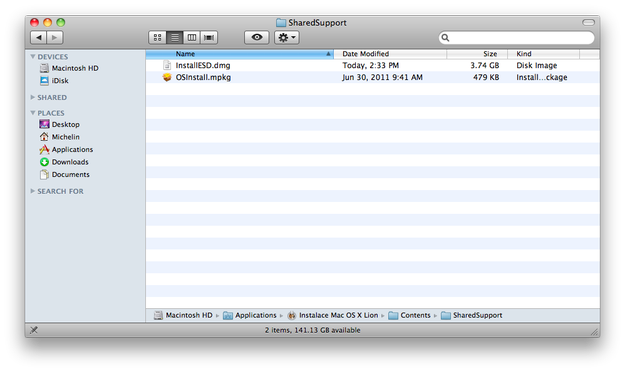
- Go to the Contents/ShareSupport directory in which you can find the InstallESD.dmg file.
- Start the Disk Utility application (Applications/Utilities/Disk Utility).
- Drag the InstallESD.dmg file and drop it to the left white sidebar in Disk Utility.
- Plug your USB flash disk to USB port and select it in the Disk Utility white left sidebar.
- Select Partition tab and set Partition Layout option to 1 Partition and Partition format set to Mac OS Extended (Journaled).
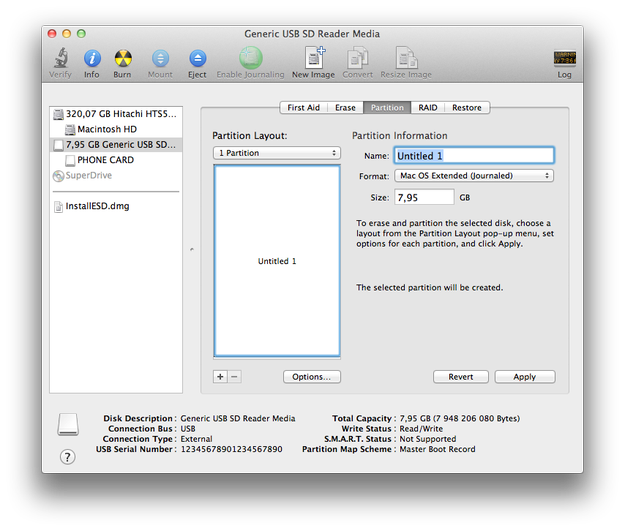
- Click the Options button and select GUID Partition Table to create bootable USB flash disk and click on the OK button.
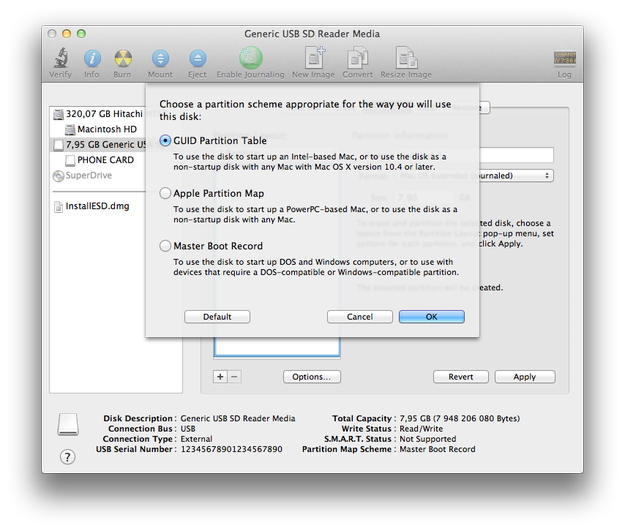
- Hit the Apply button and Disk Utility will create bootable USB flash disk.
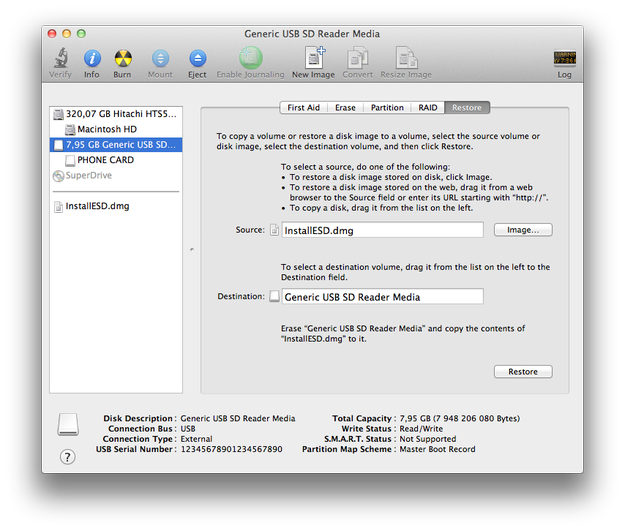
- Click on the Restore Tab. Select the InstallESD.dmg file as a source and the USB flash disk as a destination. Press Restore button and the Disk Utility will create Mac OS X Lion bootable installation USB flash disk.
Lion Recovery Utility
One of new features in Mac OS X Lion is system recovery from the hard drive. To run the Lion Recovery utility, hold down Command + R keys during startup. In Lion Recovery you can check or repair your hard drive, erase your hard drive and reinstall a fresh copy of Lion, or restore your Mac from a Time Machine backup. You can even use Safari to get help from Apple Support online.