
 Language
Related extensions:
 Microsoft DOS (MS-DOS) was popular operating system for IBM-PC compatible computers. In 80s and early 90s it was distributed as a stand alone system. When Windows 95 was introduced, DOS was still integrated to the system for compatibility with old applications and to run some 16-bit system processes. Today's Windows use NT system core without any MS-DOS parts.
It is almost impossible to run MS-DOS program on today's Windows operating systems, even if it does contain DOS compatibility functions. However, there exists a DOS emulator called DOSBox, which is able to run the most of DOS applications and games directly under Windows. It has only one disadvantage - it looks like old MS-DOS command line.
Many younger users don't know MS-DOS commands and working with DOSBox is difficult for them. There are however GUIs for DOSBox, like D-Fend Reloaded, which greatly simplify the work with the program.
Running old DOS games in Windows
D-Fend Reloaded is primary designed for emulation of DOS computer games. It is compatible with most of DOS gaming legends, such as Prince of Persia, Warcraft, Doom, Duke Nukem 3D and many, many more.
As a bonus feature it is able to run old games for Windows 95/98/Me that had difficulties in modern Windows NT based system.
Step 1 - download and install D-Fend Reloaded
D-Fend Reloaded installation package is available for free in SourceForge.net applications archive. As part of the installation process, the latest version of DOSBox will also be installed.
Step 2 - import DOS application to D-Fend Reloaded
There are several option how to import DOS game to the D-Fend. The easiest way is to select File option → Import → import archive (game is packed in .rar, .zip, .7z archive), or import folder (all game files are stored in classic folder). Browse to the game archive or folder, select it and click on the Open button.
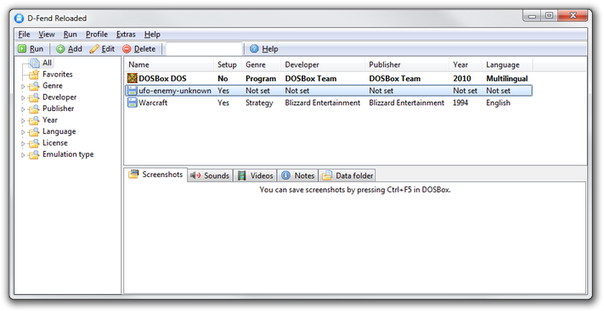
D-Fend Reloaded main window with game list
D-Fend will import game data to its Virtual HD folder, load optimal settings for processor, memory, audio etc. and add the game to application list (in our case Warcraft 1).
Before the gaming, don't forget that many DOS games need to run setup utility to configure sound card or controls settings. Press the right mouse button on game in the list and select Run setup option and configure sound card, controls settings etc. Save settings and exit from setup utility.
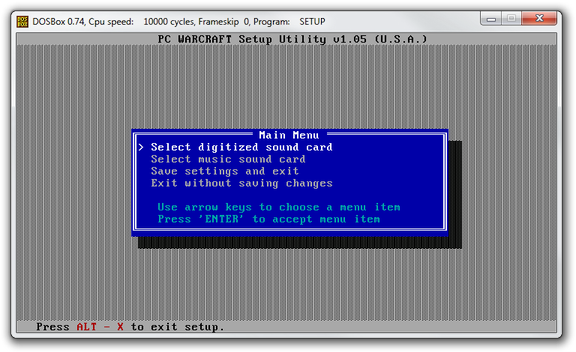
Warcraft 1 setup utility
If the D-Fender doesn't recognize the optimal settings for the game (in our case UFO: Enemy Unknown) you must set them manually. You can change the virtual machine settings to closest optimal hardware requirements of the game in the Template option.
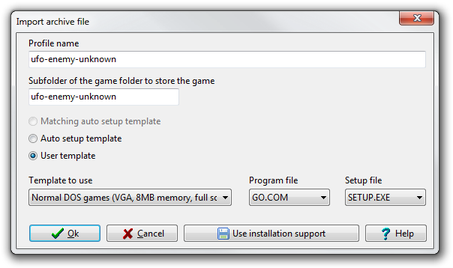
Manual D-Fend settings for UFO
Now you can run the game by double click on it in the game list, or click on the Run button in the upper menu.
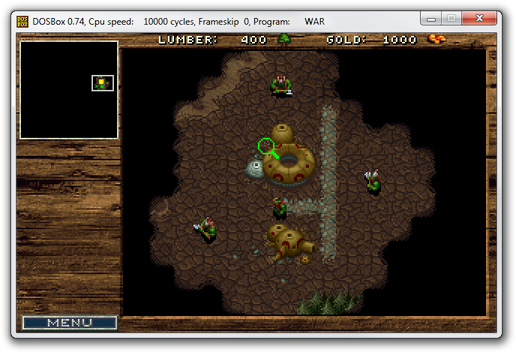
Warcraft 1 running in D-Fend DOSBox