
 Language
Related extensions:
i Phone Jailbreak or universally iOS Jailbreak is a process used to remove some limitations in Apple iOS devices (iPhone, iPad, iPod Touch, Apple TV). Jailbreak enables access to the root of the operating system, installation of applications from other depositories, such as popular Cydia, customize Lock screen, or use themes and extensions etc.
A jailbroken iOS device still works properly with iTunes and App Store as a standard device. Jailbreak process can be quickly reverted back by Restore option in iTunes.
PwnageTool for Mac
A popular application used to jailbreak iOS devices on Mac computers is called PwnageTool. PwnageTool customizes a IPSW iOS software update file with Jailbreak options. After the patching of the IPSW file is finished, users can use it to install it to their device through iTunes. PwnageTool is available on iphone-dev.org website.
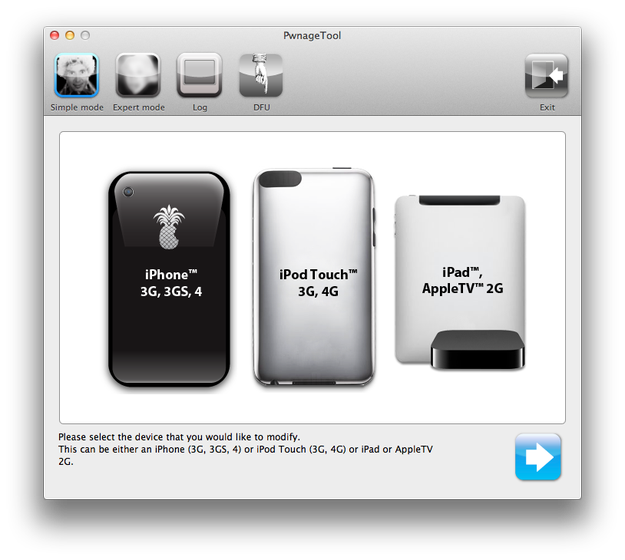
How to successfully jailbreak the iOS follow these instructions:
-
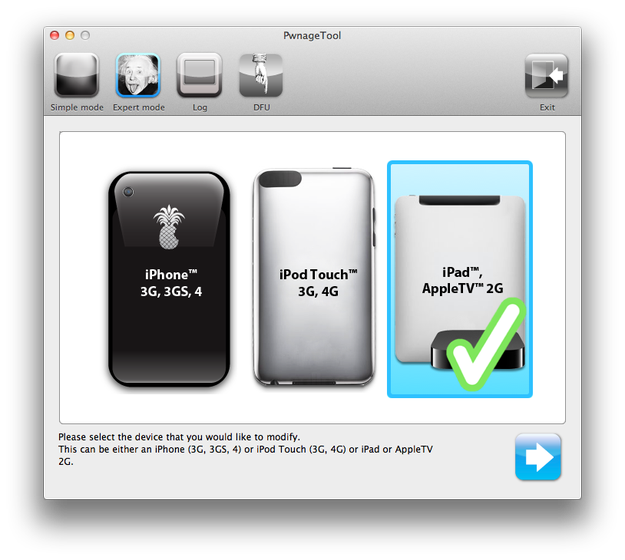
Connect the iOS device (in our case iPad 1) to Mac and start PwnageTool, select the iOS device that you want to Jailbreak and press the blue arrow button.
-
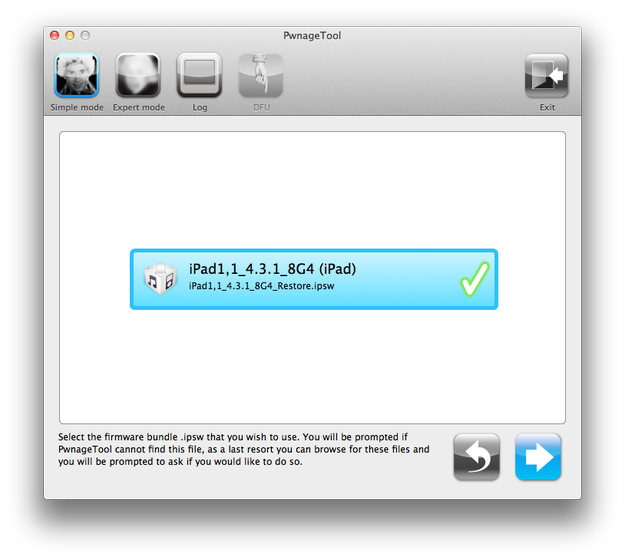
PwageTool checks for IPSW files stored on computer. Select the IPSW file that you want to customize with Jailbreak and click the blue arrow button (If PwageTool didn't find a IPSW file, use Expert mode and select the IPSW file manually).
-
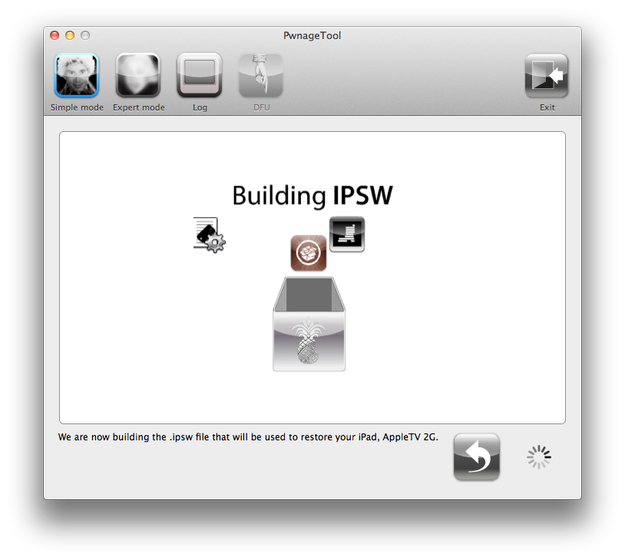
PwnagetTool will build IPSW file with Jailbreak options. Updated IPSW file is automatically saved on Mac OS desktop.
-
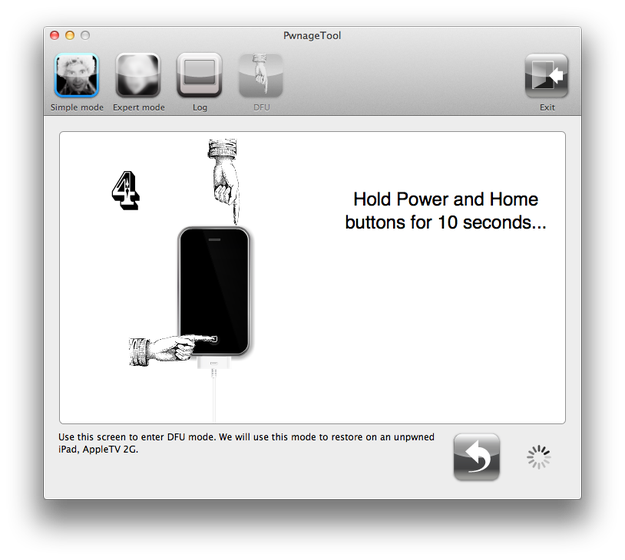
After the process is finished restart the device to DFU (Device Firmware Update) mode following the instructions shown in PwnageTool.
-
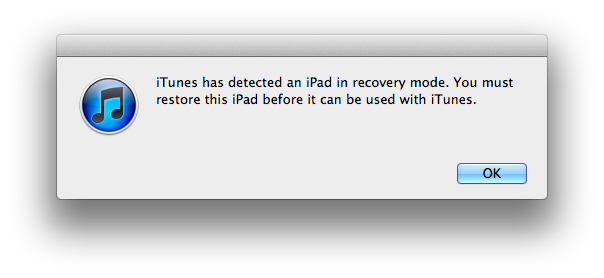
Start Apple iTunes. iTunes will alert you about the iOS device being in recovery mode. Click the OK button.
-
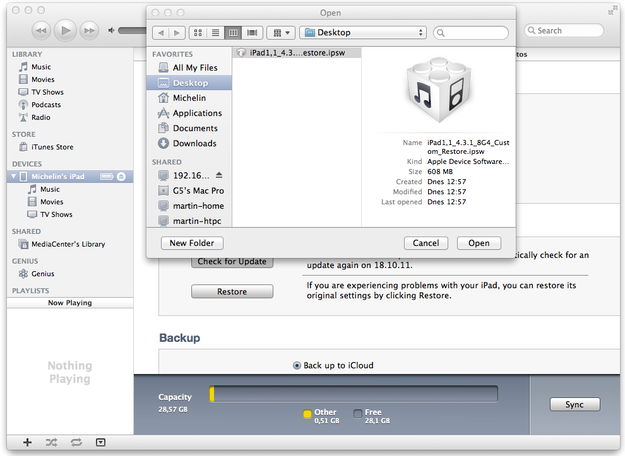
Hold Alt key and select the Restore button. iTunes will show the window called Open. Select the IPSW file with Jailbreak and click the Open button.
- Wait till iTunes finish the iOS update with Jailbreak options.
PwnageTool is not able to Jailbreak all iOS versions. Read carefully instructions on PwnageTool website, which iOS versions are supported.