
 Language
Related extensions:
Samsung Kies and SPB format
 Contacts are one of the most precious things in your mobile devices, so having backups should be mandatory for everyone.
Samsung devices such as Omnia or Galaxy series use the Samsung Kies software to backup your device. The program saves contacts in a SPB file format by default.
In order to transfer contacts to another device successfully, you usually first need to convert them to some universal format, such as VCF or CSV.
Working with contacts in Samsung Kies
Converting SPB contacts to VCF
Just load up your .spb file in Samsung Kies, select the library and click on the Save as button to save either all your contacts or just few selected ones to either VCF or CSV format.
Note: Some newer versions of Kies no longer support this function (Why Samsung?). If that is your case and you no longer see the library in your Kies, Google search for Kies version 2.x and use that version that still has this function and works just fine.
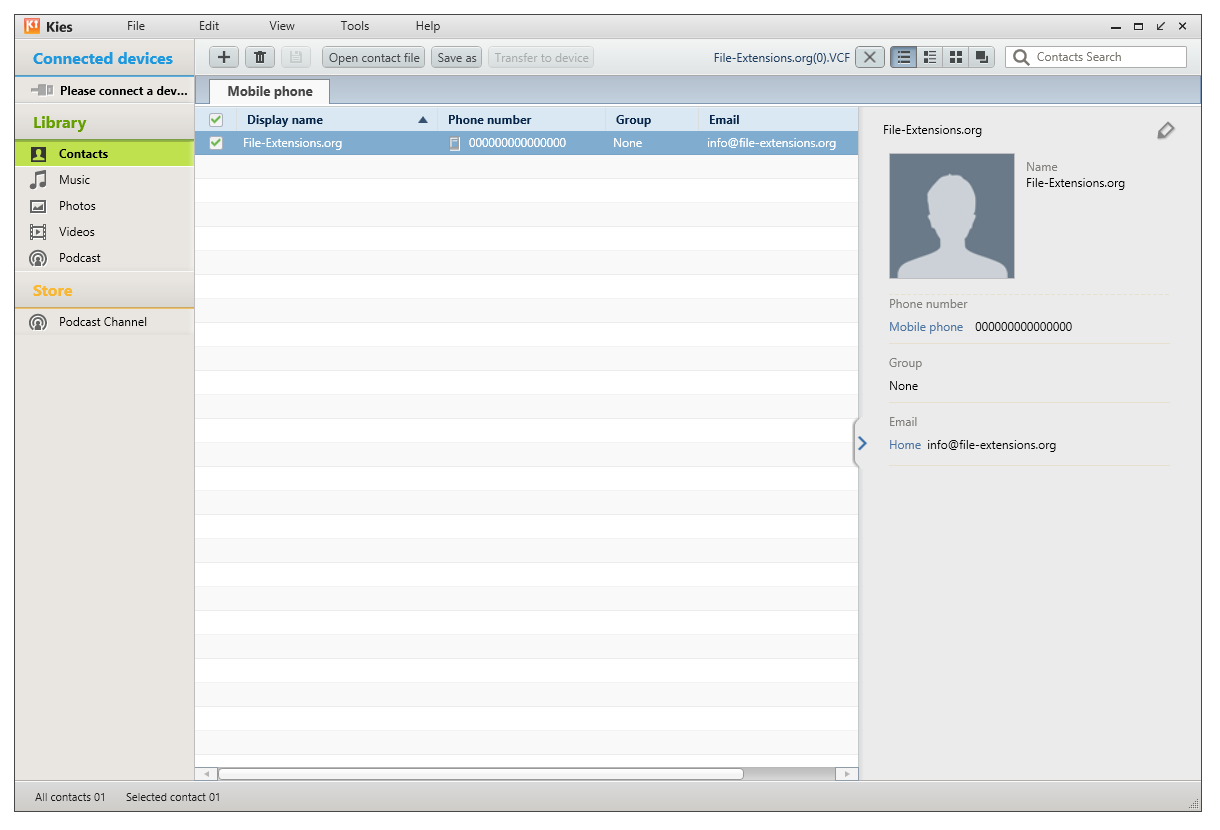
Samsung Kies version 2.x screenshot that still has library section with contacts.
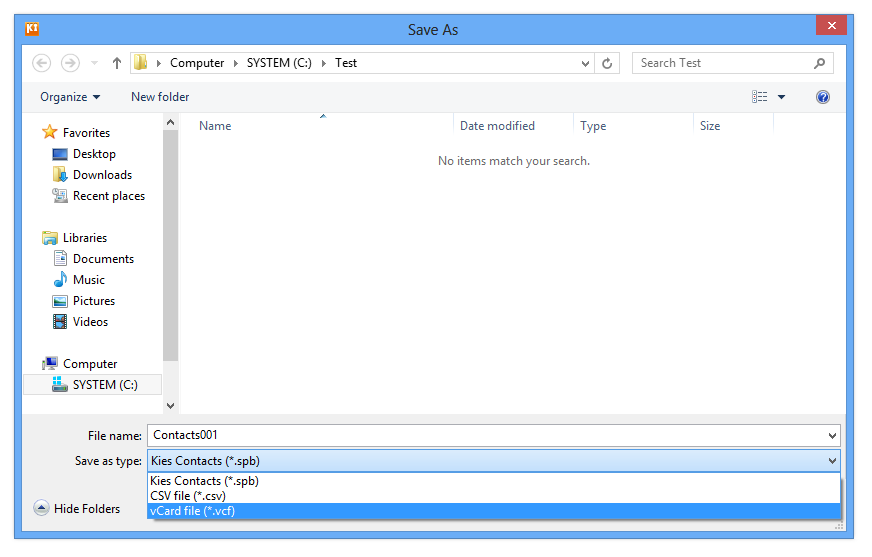
Saving contacts in VCF format.
Contacts saved in VCF formats are widely accepted in mobile devices, e-mail clients or personal information managers, so you should have no trouble transferring your contacts.
Of course it works also the other way, you can import .vcf file with your contacts and save it in SPB format for backup purposes..
Converting SPB contacts to CSV
You can also choose to select to the ol' good CSV. This format is accepted by almost anything where you can import contacts. Samsung Kies can save your SPB backup to CSV format much like it does save VCF.
Extracting contacts from VCF file to XLS
You can also extract contacts from a .vcf file and save it as Excel XLS spreadsheet. Some people like to keep contacts in this form as well, and this conversion is really easy to do.
There is plenty of tools nowadays can help you with this conversion, some of them are listed on our VCF to XLS conversion page.