
 Language
Related extensions:
About ePUB file format
 ePUB stands for electronic publication. It is a file type developed for easy publishing books and other types of content that can adapt itself to fit the available screen space. An ePUB file can be nicely viewed on smart phone, tablet or monitor screen.
In September 2007 the ePUB file format became an official standard of the International Digital Publishing Forum (IDPF), replacing the older Open eBook standard. As of now ePUB file type has been widely adopted as the main format for digital books (eBooks).
ePUB is also the only e-book format available in iBooks and supported iTunes.
About Calibre
 Calibre is a rapidly developed, free and open-source e-book management software tool for creating, organizing and converting ebooks in various formats. Calibre is programmed in Python and C languages and is available in versions for Windows, Linux and Mac OS X.
Calibre is great book managing tool, that is designed around the concept of "logical book", which means that a single entry in the library corespondents to one actual e-book file in one or several file formats.
Calibre is also able to convert a large number of e-book file formats to a great number of other file types. The application supports all major ebook file types and also many other.
Lastly, Calibre contains an in-build e-book viewer that can view most electronic book file types. It has full support for Table of Contents, bookmarks, CSS, a reference mode, printing, searching, copying, customizing the rendering via a user style sheet, embedded fonts, etc. and also is able to sync on its own, or through other app, with many smart phones or tablet devices.
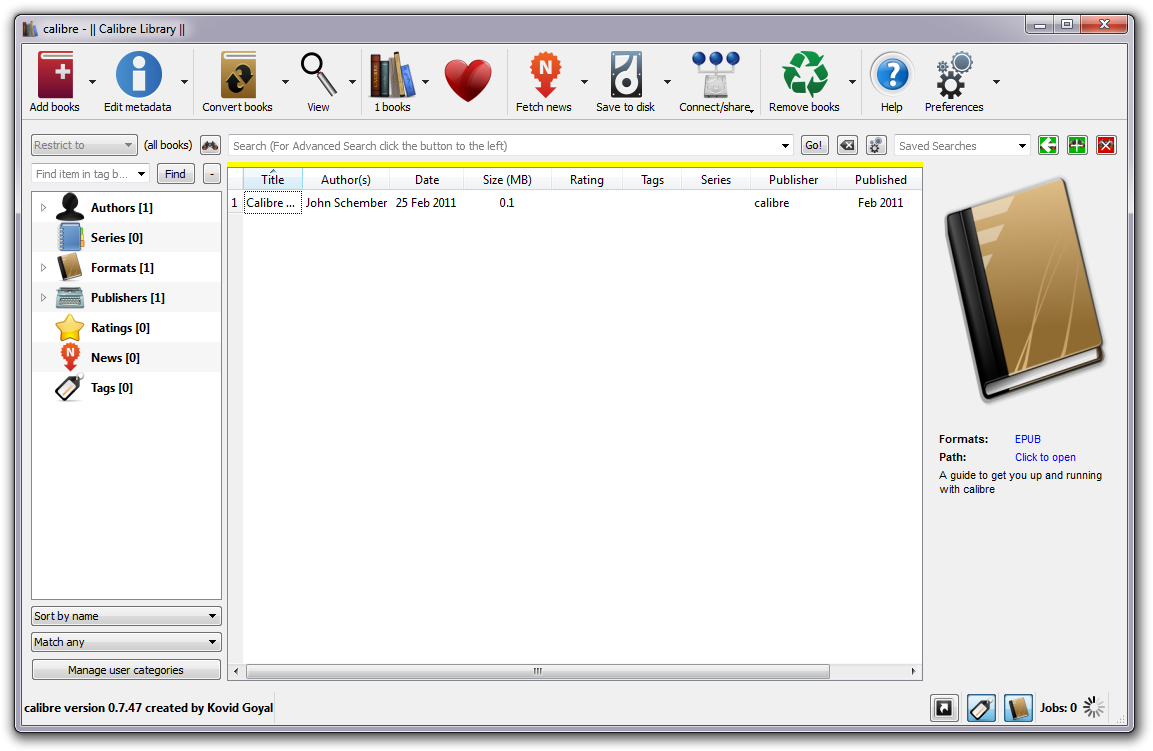
Calibre screenshot. Click on the image to enlarge it.
How to create ePUB ebook in Calibre ?
There are two ways how to create ePUB ebooks in Calibre. You can create a new one with text you already have in another file, or you can convert to ePUB file format from another e-book format.
Creating new ePUB ebook
To create a new e-book in ePUB format in Calibre, you will first need the text in electronic form in one of the supported file types. Calibre accept several input file formats, namely: TXT, RTF, PDF, HTM, HTML, XHTM, XHTML.
First you need to load the text to Calibre with click on the Add Books and selecting your text. New entry should appear in the book library. Right click on it and select the Convert Books → Convert Individually Option or select the entry in the list and press "C" on your keyboard.
In both cases a new window for creating ebook / converting will appear. Here you can change various aspects of the new book, such as its name and title, authors etc.. Press "OK" to continue and your ebook in your ebook library will be converted to ePUB format, as ePUB is the pre-selected output file format for converting ebooks.
After the book is created in your library, its time to save it on your hard drive so you can transfer it to another computer if you want. Click the entry you wish to save and press "S" on your keyboard or right click on it and select the Save to disc → Save to disc option. This will prompt you to choose the destination for your ebook in ePUB file format. At the target location a new directory with the name of your ebook will be created and in it the actual ebook in ePUB file format.
Of course you can use this method to save another file formats also, but you have to first convert them to that file format instead ePUB.
Converting to ePUB format
Much like when creating new ebook you can convert other ebook formats to ePUB. You can add the existing ebook in another format such as MOBI, PRC, AZW, AZW1, LIT, TPZ, LRF, SNB, CBZ, CBR or CBC. Basically its the same deal as with creating new ePUB ebooks from text files.