
 Language
Related extensions:
 Amazon Kindle is a series of popular e-book reading devices. Sadly, Kindle does not support the current e-book standard - ePUB file format and utilizes its own proprietary formats AZW or KF8.
But what if you want to add your ePUB, or any other books to Kindle ? Well, you have to convert them to Amazon Kindle formats and in this article we will show you how to do it.
Luckily, Kindle's main format - AZW - is identical to another common e-book format - MOBI. There is just slight difference in the DRM, because MOBI e-books have no restrictions.
Converting e-book to MOBI using Calibre
 It's rather easy to convert any e-book format to MOBI format using Calibre.
The program is not only great e-book manager, but also have extensive e-book conversion capabilities, with support for most e-book formats available on the market.
It is a free and open-source program and you can download it on its website (see links).
Load your e-book to Calibre
Simply add your e-book you wish to convert for Amazon Kindle to Calibre with the Add books button. When it's loaded to your personal library you can simply convert it by right-clicking on it, and selecting the Convert books ► Convert individually option.
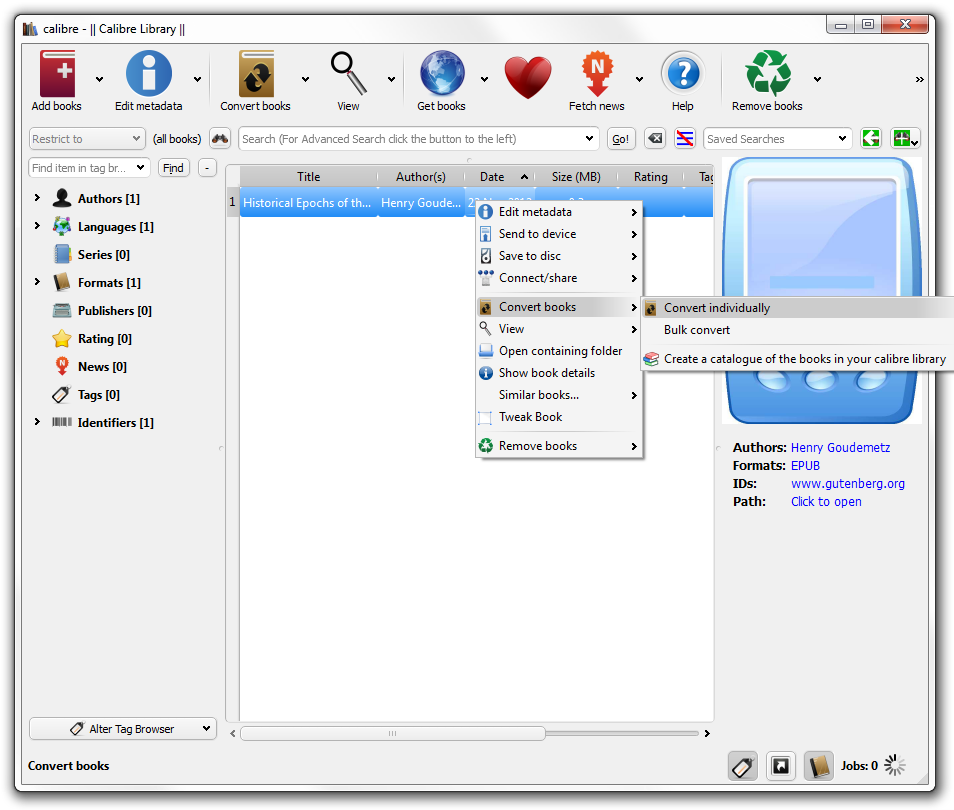
Convert your e-book to Calibre
In the upper right corner of the next window, simply switch the output format to MOBI, or AZW3 and voila, your e-book is ready for Amazon Kindle.
For maximum compatibility we recommend to use the MOBI format thought, as there were some problems with AZW3 format on Amazon Kindle Fire devices.
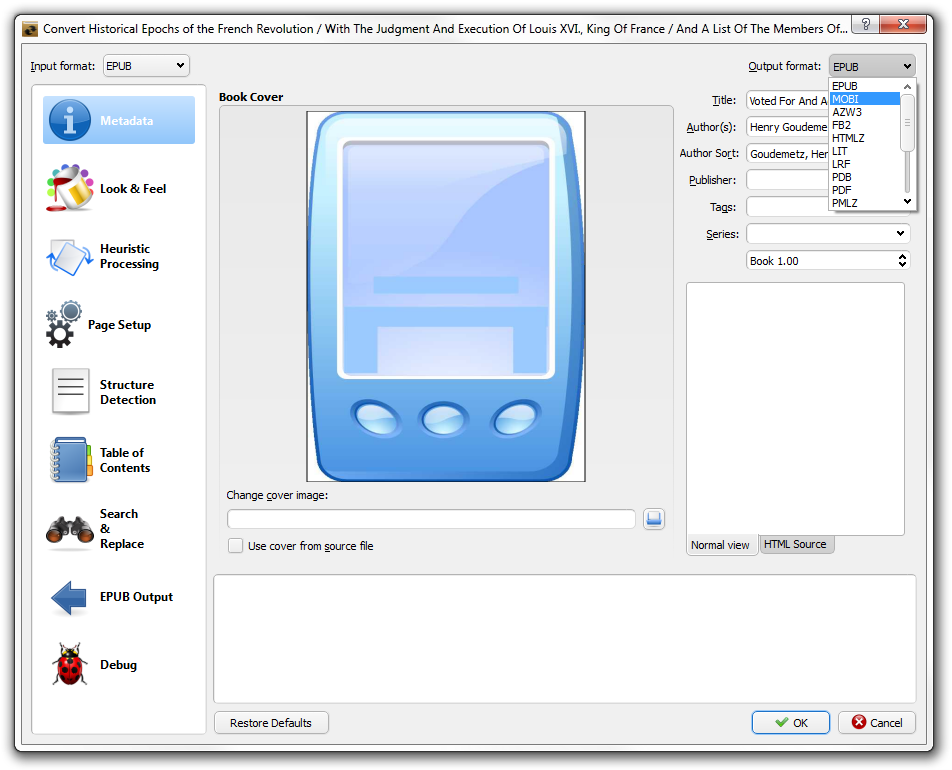
The new book will be saved in Calibre's default library, which should be located inside your users directory in the /Documents/Calibre Library folder.
Read your e-book on Kindle
Now just connect your Kindle to your PC via USB cable and copy your converted e-book to the device.
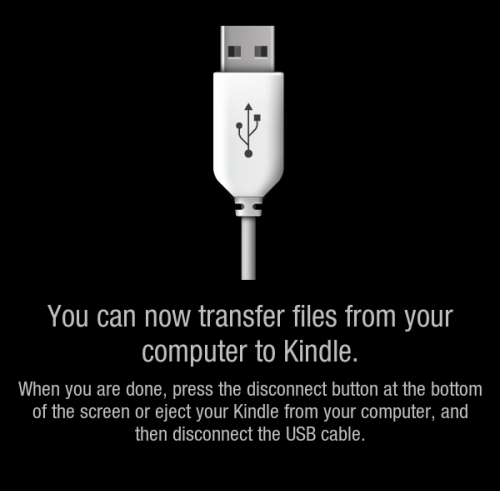
And that's it, you can now enjoy your book in Kindle! If you are looking for more free e-books, check another of our articles Top websites for free e-books