
 Language
Related extensions:
 VirtualBox is multiplatform virtualizing software that is able to create and run virtual computers on one physical machine. It offers large support of various operating systems for emulation.
By default, VirtualBox uses VDI (Virtual Disk Image) container to store virtual hard drives that contain virtualized operating systems. However it can also work with other virtual hard disk formats including VMware Workstation VMDK (Virtual Machine Disk) image files.
How to open VMDK virtual disk file in VirtualBox
Download the VirtualBox for your operating system from Oracle website. VirtualBox is available for free without any restrictions. Run the installation package and wait until the installation will be finished.
Start VirtualBox → click on New icon → VirtualBox will start Virtual Machine Wizard → Click Next button.
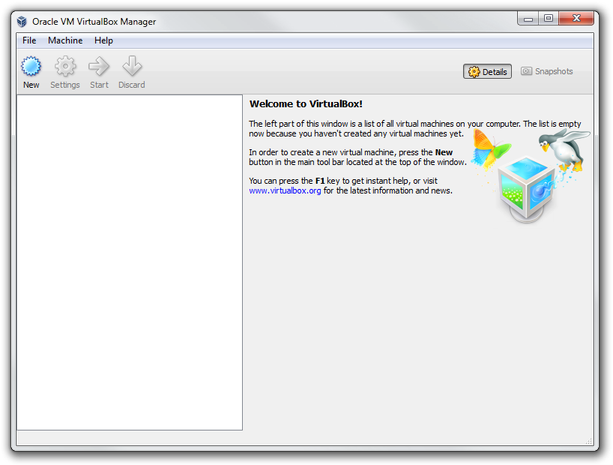
VirtualBox Manager main window
Set the name of new virtual machine → select operating system, its version and click Next button.
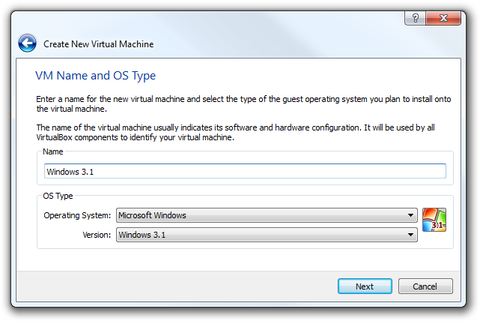
VirtualBox Wizard set VM name and OS type
Set the amount of RAM memory and click Next button.
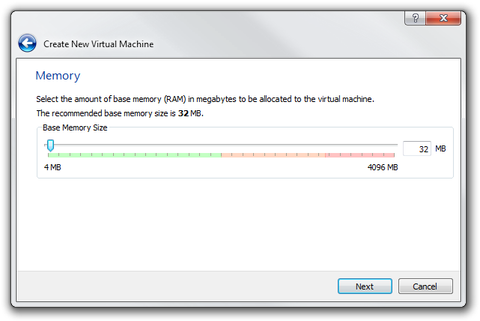
VirtualBox Wizard amount RAM
In Virtual Hard Disk window select Use existing hard disk option. Click on Choose a virtual hard disk file... option → select VMware .vmdk virtual hard disk file and click Next button.
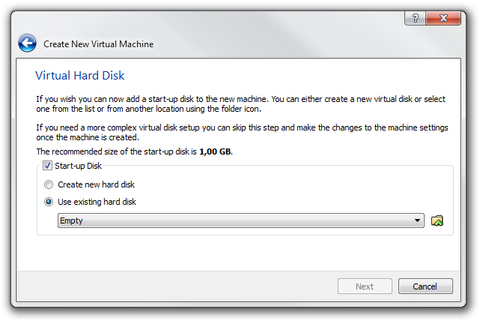
VirtualBox Wizard Virtual Hard Disk settings
The VirtualBox Wizard will show you Summary window → click Create button.
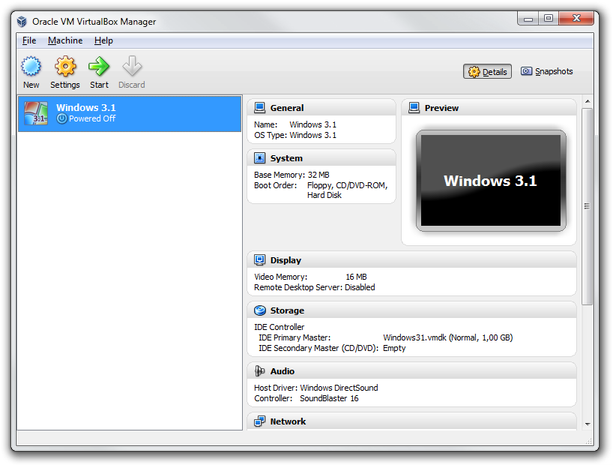
VirtualBox Manager with new virtual machine
Now you have prepared a new VirtualBox virtual machine that uses VMDK virtual hard disk as default virtual disk file format. Click on Start icon to run virtual machine.
How to convert VMDK virtual disk file to VDI virtual disk image
At first you will need a qemu-img converting utility that is distributed with QEMU processor emulator and vboxmanage utility that is part of VirtualBox package. Both of them are running in command line (Terminal in Unix, Unix-based systems).
Run the command line → go to the folder where you saved qemu-img.exe file and type:
qemu-img convert d:\windows31.vmdk -O raw d:\windows31.raw
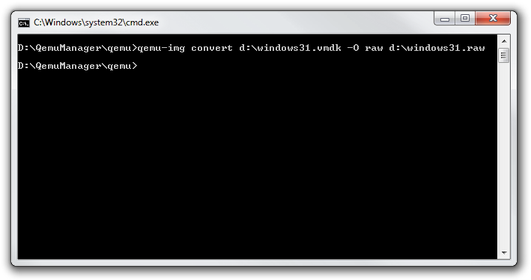
qemu-img convert command
Wait until conversion to RAW will be finished.
Go to the VirtualBox folder and type:
vboxmanage convertfromraw d:\windows31.raw d:\windows31.vdi

vboxmanage convert command
Wait until conversion to VDI is finished. Now start VirtualBox and create new virtual machine in the same way as we did in the first part of this article.