
 Language
Related extensions:
TIP: Change the default output from OXPS to XPS in XPS Document Writer for Windows 8
When exporting documents using the Microsoft XPS Document Writer in Windows 8, the program selects the newer OXPS format instead the older XPS as the default choice.
If you are sending someone a document in this format and you are not sure whenever they have Windows 8, it would be wise to save it as the *.xps file instead as *.oxps., because it could potentially save them a lot of time, especially if they are not computer savvy.
Manually selecting XPS format instead OXPS
You can manually select in which format the XPS Writer saves your document using the File - Save as.. function, in which you can pick what format to use.
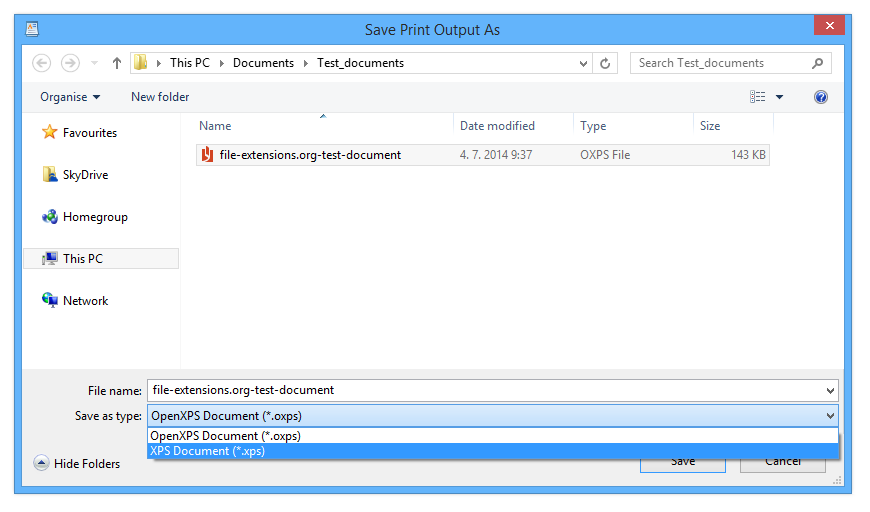
Microsoft XPS Document Writer Save as.. window
Changing the Microsoft XPS Document Writer default format in Windows 8
There is also a way how to select the XPS format as default choice in Windows 8 for the Microsoft XPS Document Writer. It requires you to change a specific Group Policy.
1. first find the Group Policy control panel to change the settings. If you are not sure where it is located, simply type it in your Metro search box and locate in the settings category. The item you are looking for is called "Edit group policy".
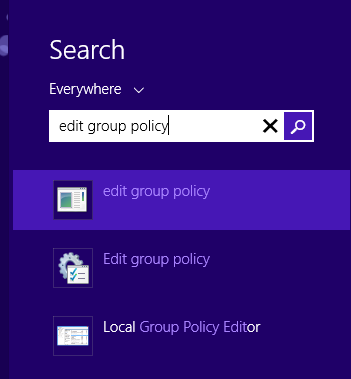
Metro Search box
2. With the Local Group Policy Editor launched, browse to the "Local Computer Policy\Computer Configuration\Administrative Templates\Printers " folder and select the "Change Microsoft XPS Document Writer (MXDW) default output format to the legacy Microsoft XPS format (*.xps)" item.
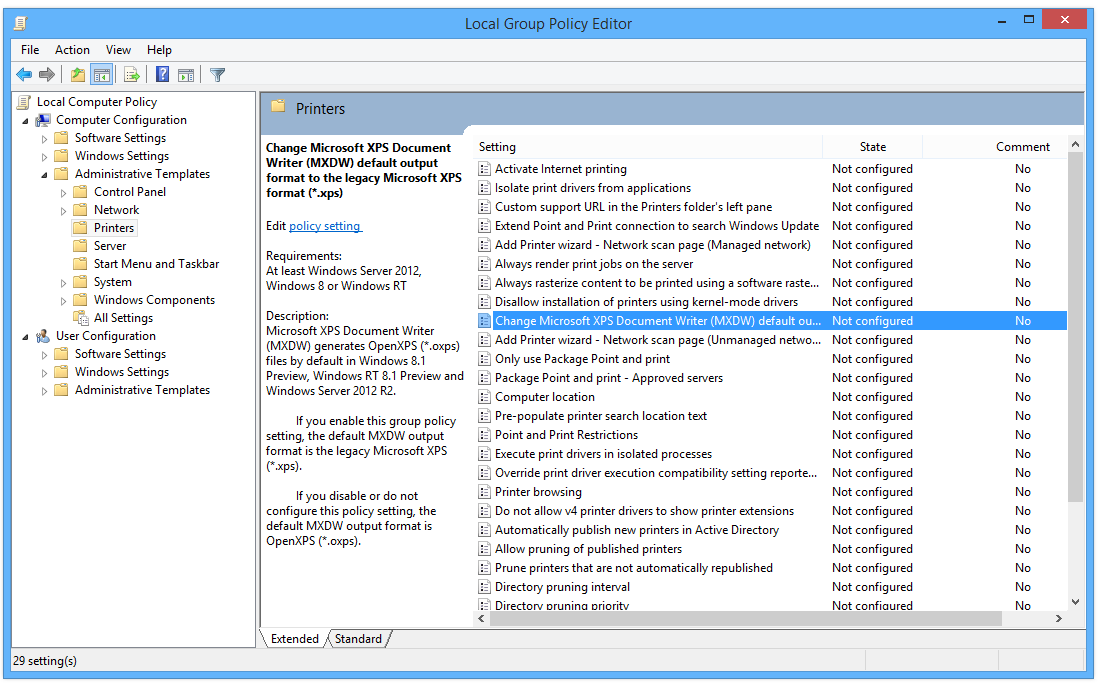
Local Group Policy Editor in Windows 8
By default, this group policy is not configured, but can be easily enabled.
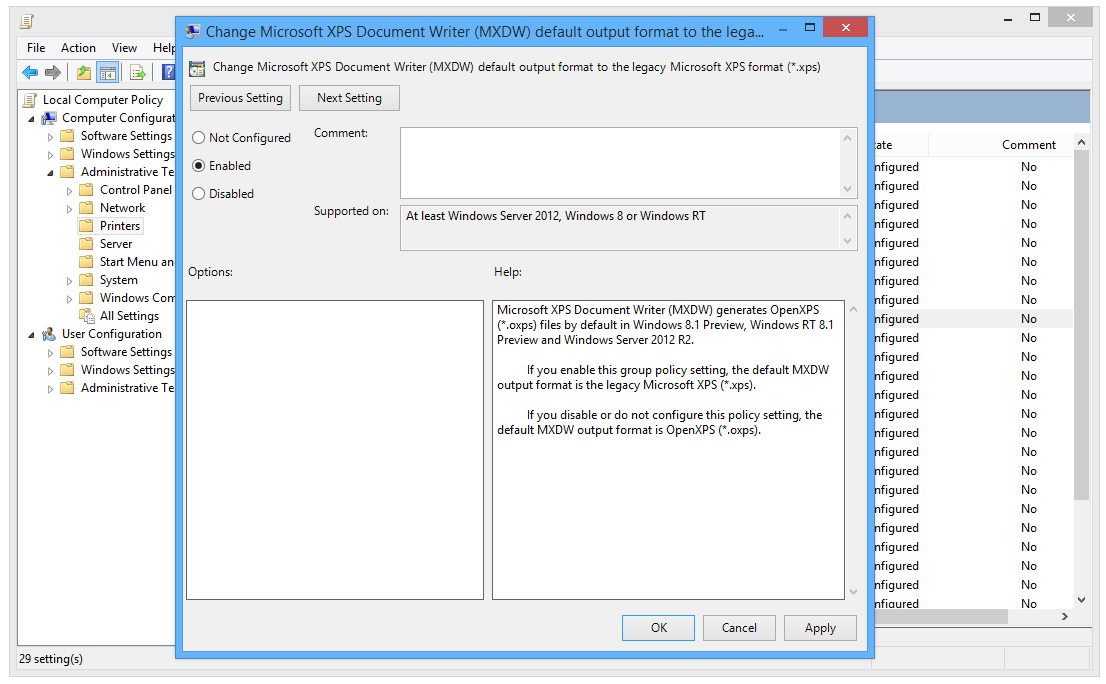
Enabling the MXDW related group policy
After saving the changes, you will likely have to relog to your Window so the new settings are loaded.
And that's it. From now on, the Microsoft XPS Document Writer in your Windows 8 saves the documents in the original XPS document by default. You can of course still save files as *.oxps using the Save as.. function, so nothing is lost, just the choices switched.