
 Language
Related extensions:
Microsoft Office open XML documents
Microsoft Office is one of the most popular office suite used on personal computers as well as on various mobile platforms. This complete office suite allows users to create rich documents, spreadsheets, presentations, databases and many more.
With Office 2007 Microsoft introduced new zipped Open XML format (also known as OOXML or OpenXML) for representing Office files (docx, xlsx, ppsx etc.).
It means, docx and other Office formats are renamed zip archives that contain xml formatted files, media, picture images and other data used to visualize document in Office programs, or compatible third party apps.
How to gain picture images from Office file
At first you need to rename Office document file extension, for example Microsoft Word docx to zip.
Click right mouse button on Microsoft Word document → Select Rename option → change docx extension to zip.
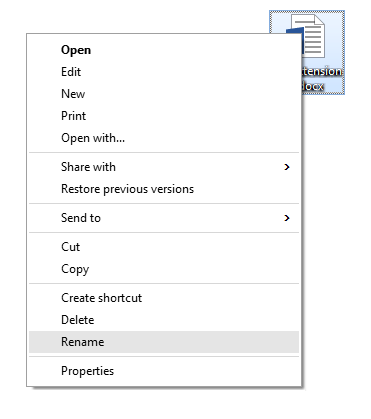
Rename option in Windows menu
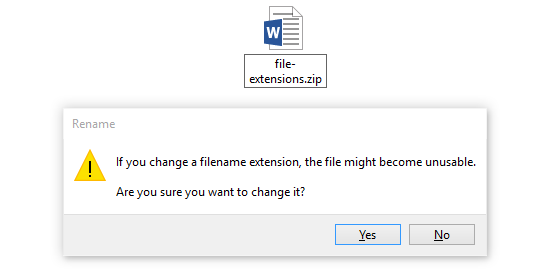
Warning window before change file extension in Windows
By default, Microsoft Windows hide known file extensions. How to view file extensions in Windows are described in these articles:
Double click on zip archive and navigate to word\media\ sub folder that stores all picture images and other multimedia content used in Microsoft Word document.
Now you can simply copy out the images you want.
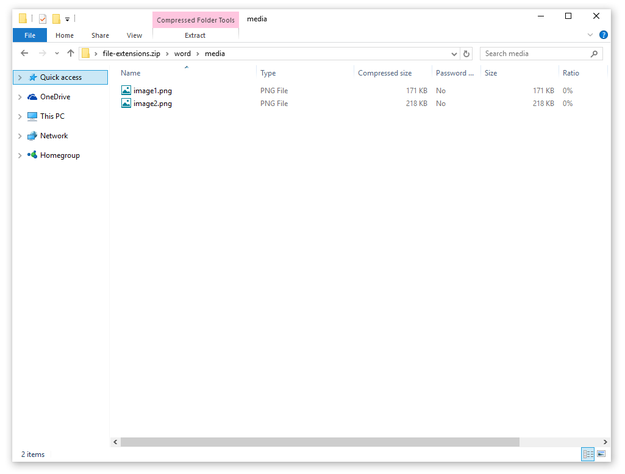
View content of docx file in Windows Explorer
These instructions also work for other Office files, like PowerPoint (ppsx) and Excel (xlsx). However, default sub folder will be not word\media\, but powerpoint\media, excel\media, etc.