
 Language
Related extensions:
ISO, ISZ files
 Maybe you know the feeling, when you download an older disk image from internet only to realize it's in some rare format. ISZ format is one of them, it is the default image format of UltraISO, which itself is a commercial app - and not everyone is interested of spending 30 bucks only to access single file. You could use the trial version of UltraISO, but it has pretty severe limitations.
In this small tip we will show you how you can quickly convert CD sized ISZ images to standard ISO image - for free.
How to convert ISZ to ISO in Windows
For purpose of converting ISZ to ISO format , we have picked AnyToIso converter from Crystalidea. It's Lite (free) version can flawlessly work with images in the size of CD (870 MB), which should be enough for most images found in internet. For anything larger, you would need to purchase the Pro version of AnyToIso, which imho would be much better investment than UltraISO in first place. Also AnyToIso is available in 29 languages, so most users can get get their localized version.
The program works pretty straightforward. You select the image, select the destination path and do the conversion. You can check how easy it is on few screenshots below we took while converting ISZ image to ISO.
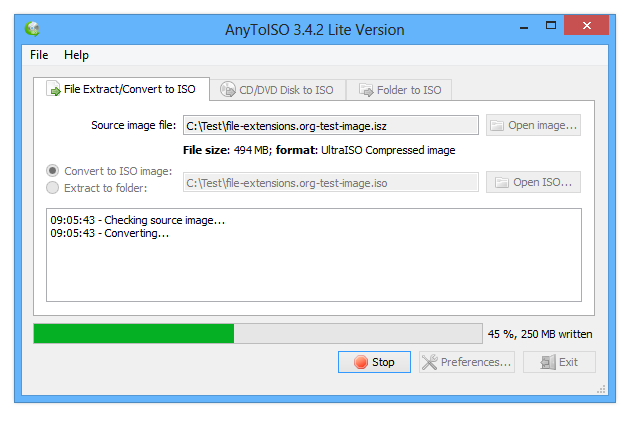
AnyToISO converter
How to convert ISZ to ISO on Mac
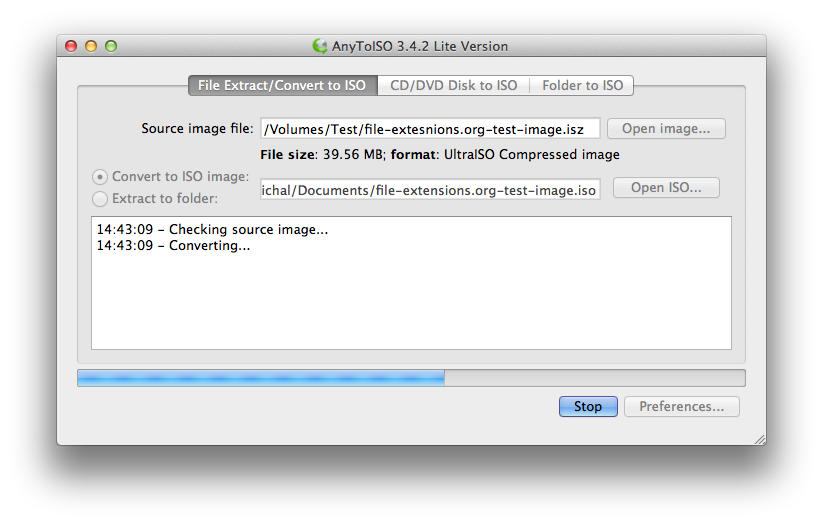
The Mac version of AnyToIso works much like its Windows counterpart. After that you can mount the ISO with DiskImageMounter utility in Mac OS X. However, images in ISZ for Mac will are probably very very rare. Once again you can look how the program looks like on Mac.
If you do not need the actual ISO or DMG format, you can simply mount ISZ image as virtual drive using Daemon Tools. That however, is only available to Windows users.