
 Language
Related extensions:
Ebooks or electronic books are digital versions of various publications meant to be read on electronic devices like computers, tables, smart phones. Digital books exists in many various formats, from basic PDFs, to more specialized and sophisticated format specially designed for electronic publications.
 ePUB format
One of those formats is ePUB, which is a abbreviation for electronic publication. ePUB is a free and open e-book standard by the International Digital Publishing Forum since 2007, with latest specification being 2.0.1. Ebooks in ePUB format have typically .epub file extension.
In order to read .epub files you will need a specialized reader. There are some of them available for free on web, but we recommend easy to use and powerful ebook reader called Calibre. Anyway, ePUB file format is gaining popularity in recent years, and more and more programs add support for it.
 Calibre
Calibre is a rapidly developed, free and open-source e-book management software tool for creating, organizing and converting ebooks in various formats, which also can open ePUB format. It is available for Windows, as well as in editions for Linux, Mac OS X and also in portable version.
How to open EPUB ebook in Windows
To add a new ebook to your library simple click on the Add books button, or alternatively press the "A" key on your keyboard, and browse on your hard drive to select the file.
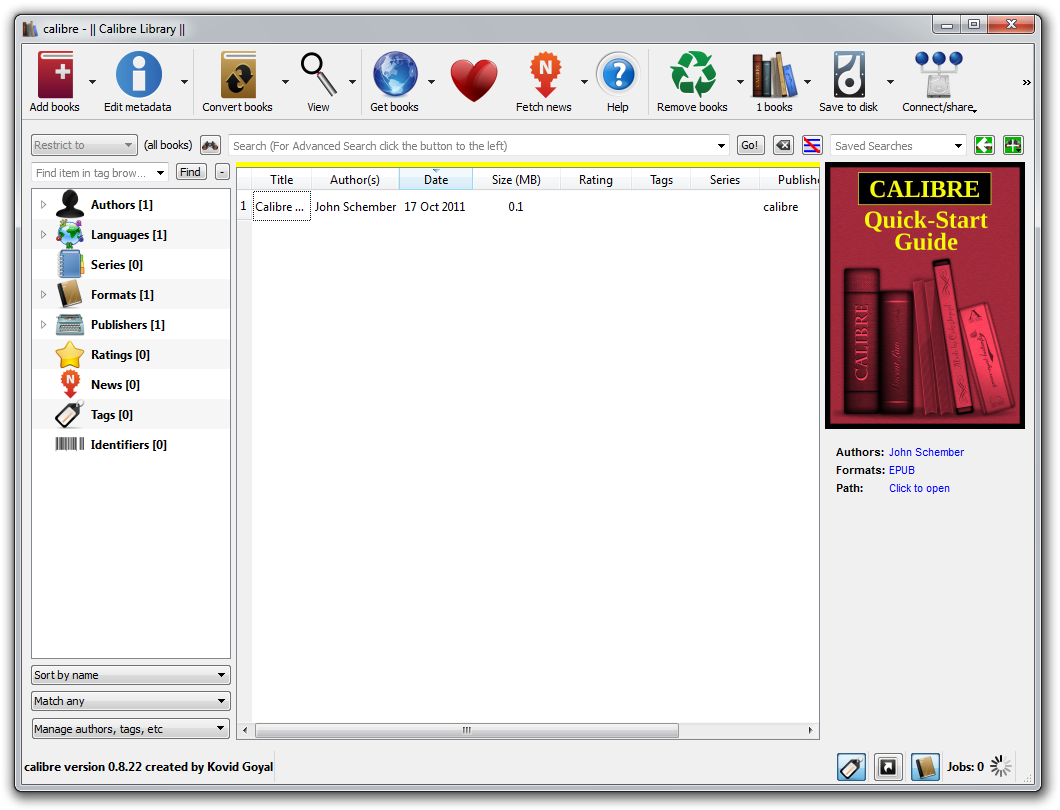
Calibre default ebook library window. Click on the screenshot to enlarge it.
Calibre supports many ebook types, ePUB format including. So browse through your drive and select the ebook you wish to open. In our case we want to add Alice's Adventure in Wonderland .epub file.
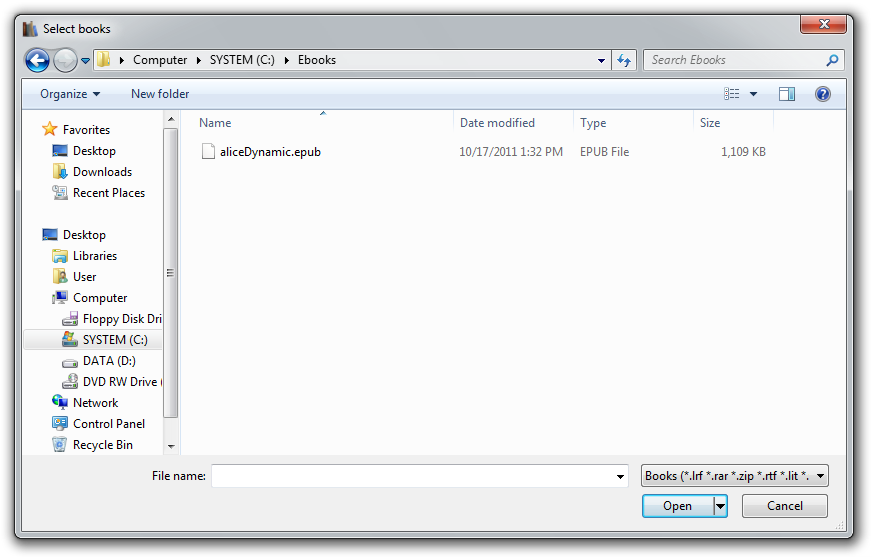
Browsing to add .epub ebook to Calibre's digital library. Click on the screenshot to enlarge it.
Once you have selected your ebook, Calibre will add it to its library, where you can sort and otherwise manage your ebook collections.
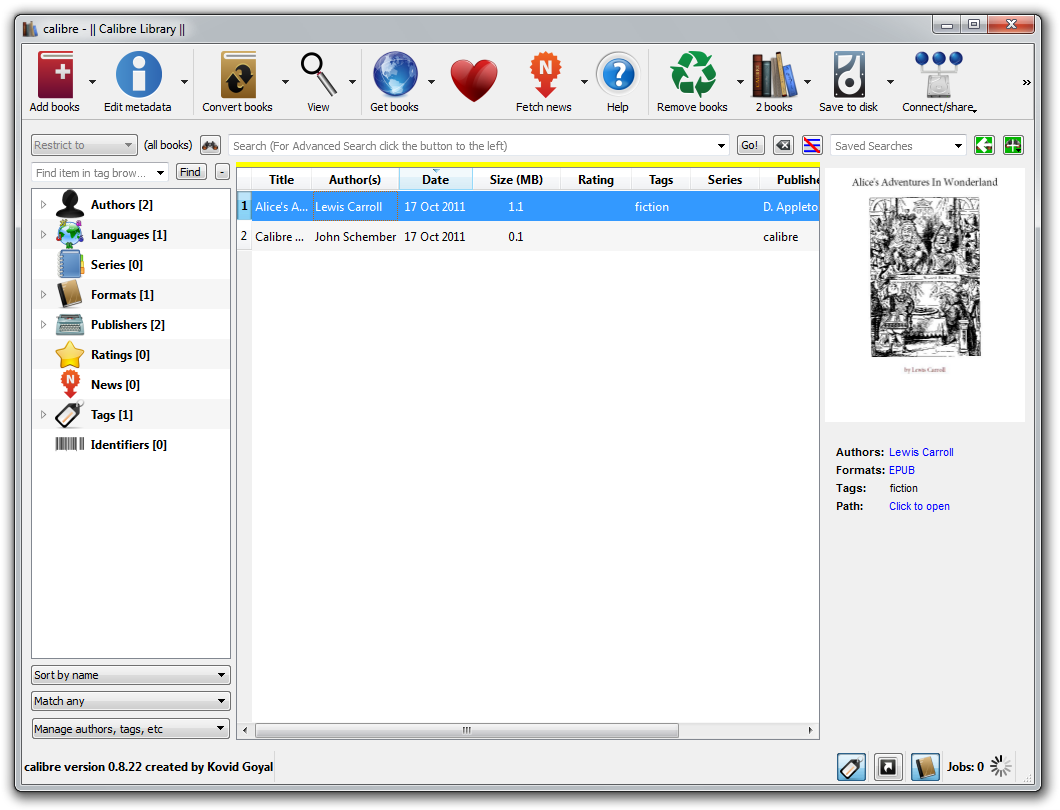
ePUB ebook added to Calibre's ebook library. Click on the screenshot to enlarge it.
To view any book in your library, simply select it and click on the View icon, or alternatively press the "V" key on your keyboard. This will open .epub file in ebook viewer and you can read it.
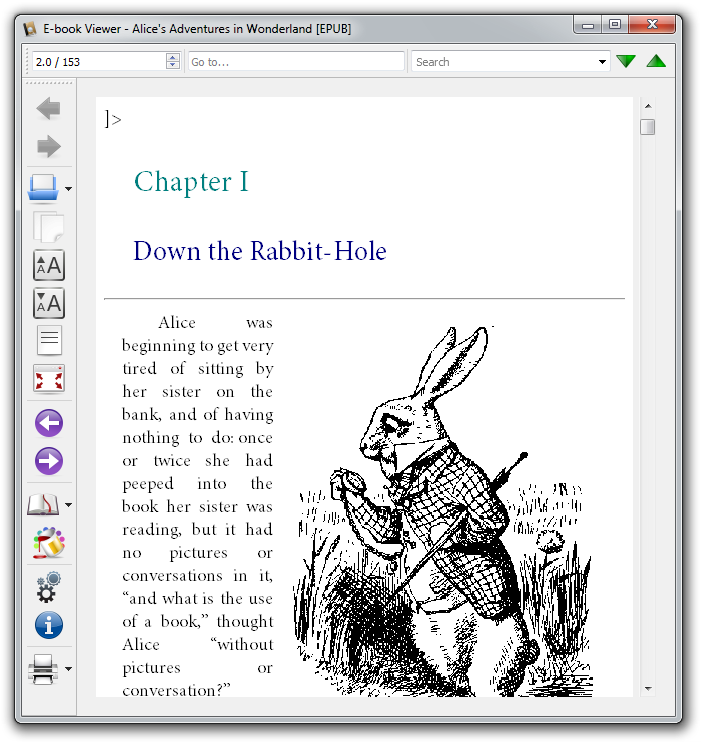
ePUB ebook opened in Calibre E-Book Viewer. Click on the screenshot to Enlarge it.
Calibre offers many useful features with ebooks. You can search for words or phrases, changing font type and size, referencing, bookmarking, printing etc. It is ideal application for managing your personal digital book library.