
 Language
Related extensions:
 NRG is default disk image format used by Nero Burning ROM CD/DVD/Blu-ray authoring software to store complete digital images of optical discs, including audio tracks.
How to extract audio tracks from NRG disk image to WAV audio files
You can easily extract these audio tracks directly from the files with AnyToISO utility and we will show you how. We will do it in Mac OS X, but it works the same in Windows.
Extracted WAV tracks can be imported to a multimedia library, or convert to other audio format, such as MP3, FLAC, M4A etc.
AnyToISO converter is one of the most used utility that supports conversion of popular CD/DVD disk images, like NRG, UIF, DAA, CDI, ISZ, BIN to ISO disk image format, supported by most burning software and also contains some other extra features. One of them is audio track extraction capability. Download link is available at the end of the article.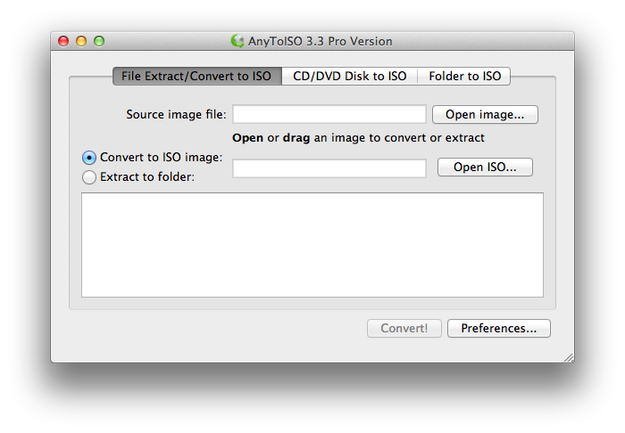
Step 1 - Download and Install AnyToISO
Download and install AnyToISO from developer website. It is distributed as a free Lite version, or paid Pro version. It is available for both Microsoft Windows and Mac OS X.
Step 2 - Extract audio tracks from NRG disk image
Start AnyToISO program and click on File Extract/Convert to ISO tab. Click on Open image... button and select the .nrg image with audio CD.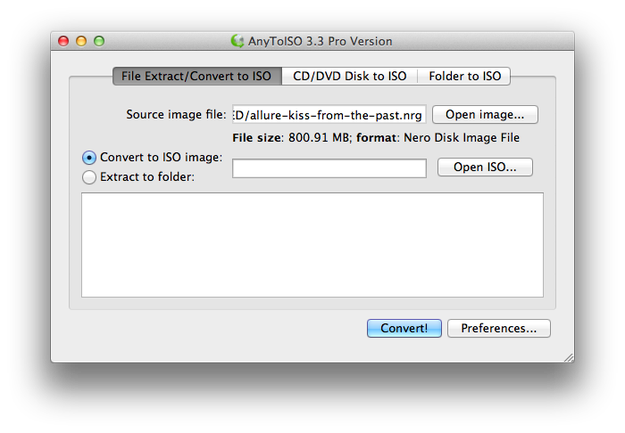
Select the Extract to folder option → Click on Select folder... button and select folder, where you want to store audio tracks.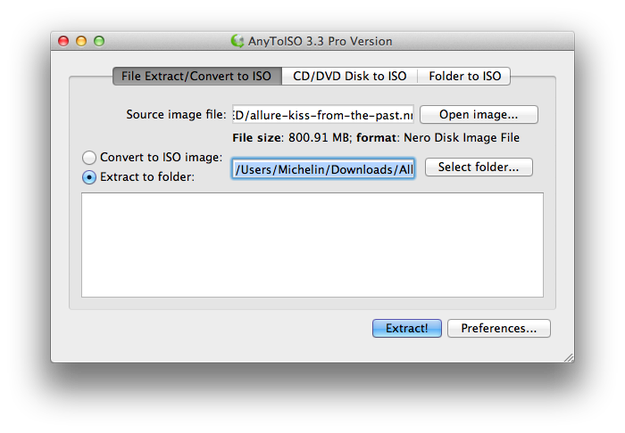
Click on Extract! button. Wait a minute and all audio tracks will be extracted from NRG image to hard drive in WAV audio format.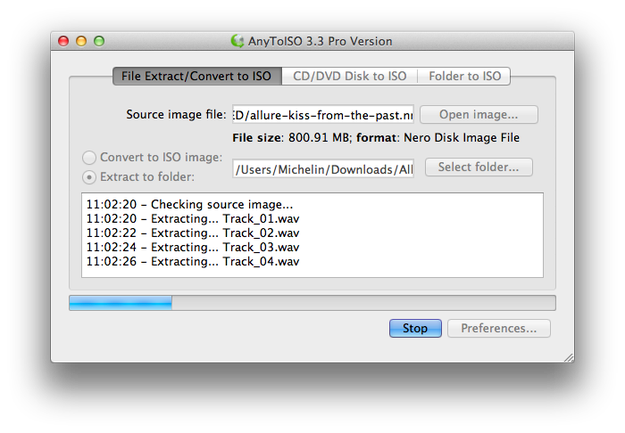
Now click on Click here to open the output folder option to fast navigate to extracted audio tracks.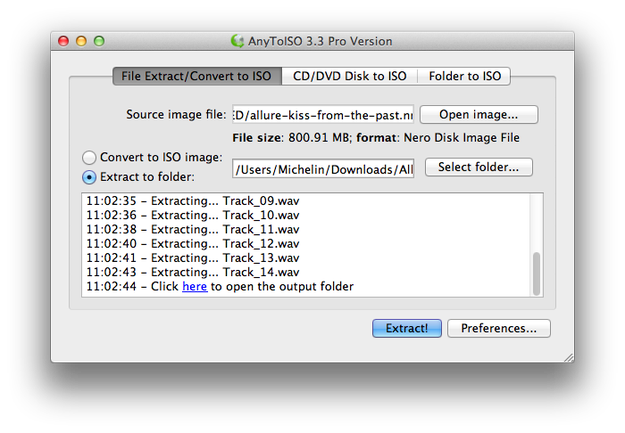
WAV files are pretty large. You can use iTunes or other convertor to convert WAVs to MP3, AAC, FLAC or ALAC format. Import WAV tracks to iTunes → select them → click on them by right mouse button → select Create MP3 (AAC) version.