
 Language
Related extensions:
Distribution of Mac OS X Lion
 Apple Mac OS X Lion is the eighth generation of the Mac OS X operating system for Apple's Mac PCs and servers. Apple announced about 250 new features in the Lion update. Lion was released on 20th July 2011 through Apple App Store as an update of the Mac OS X Snow Leopard. In the first day more than one million of Mac OS X Lion copies were downloaded.
The primary distribution channel for Mac OS X Lion is Apple App Store. Installation DVD with Lion will be supplied only with new Mac computers. If you want to create your own installation DVD with Mac OS X Lion, which you have downloaded from the App Store, follow the instructions below.
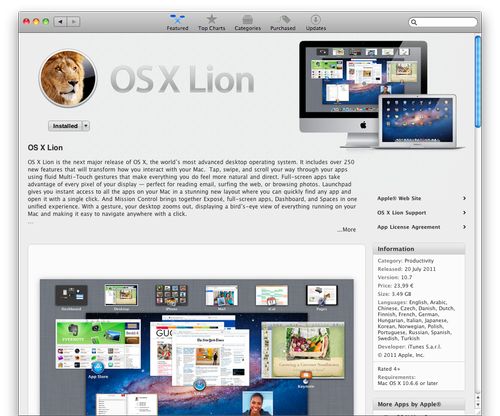
How to create Lion installation DVD
Mac OS X Lion DVD installation must be created before you update your Mac, because after update process, system will delete the Installation Mac OS X Lion application.
Mac OS X Lion has integrated recovery utility called Lion Recovery. Lion Recovery can restore Lion to default settings, like after clean installation. To run Lion Recovery press and hold Command + R keys during startup. DVD or USB Lion installation is useful if hard drive partitions in your Mac crashed or after installation of a new hard drive to your Mac, because Lion Recovery utility will be unavailable.
- Download the Mac OS X Lion update from the Apple App Store. After the download is finished, close the automatically opened installation window for the Lion update. If you want to re-download Lion installation application, open the App Store, hold the Option (Alt) key and click on Purchased button. App Store will offer you Lion installation to download again.
- In the Applications directory, App Store will create application called Install Mac OS X Lion.
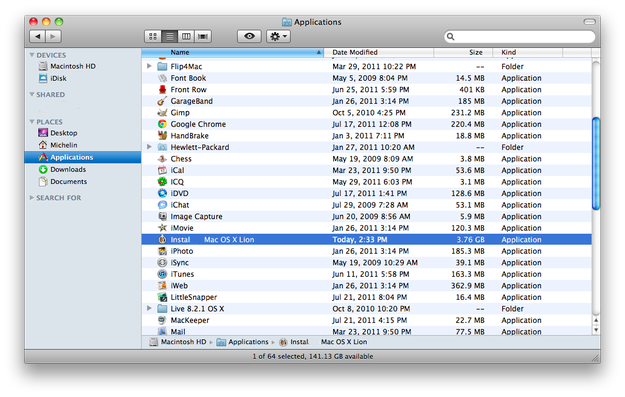
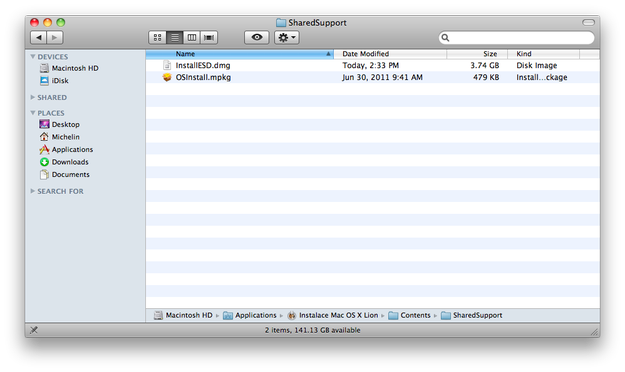
- Click the right mouse button on the Lion installer and select "show package contents" option.

- Go to the Contents/ShareSupport directory in which you can find the InstallESD.dmg file.
- Start the Disk Utility application (Applications/Utilities/Disk Utility).
- Drag the InstallESD.dmg file and drop it to the left white sidebar in Disk Utility.
- Select the InstallESD.dmg file in the sidebar and click on the Burn button in the upper menu.
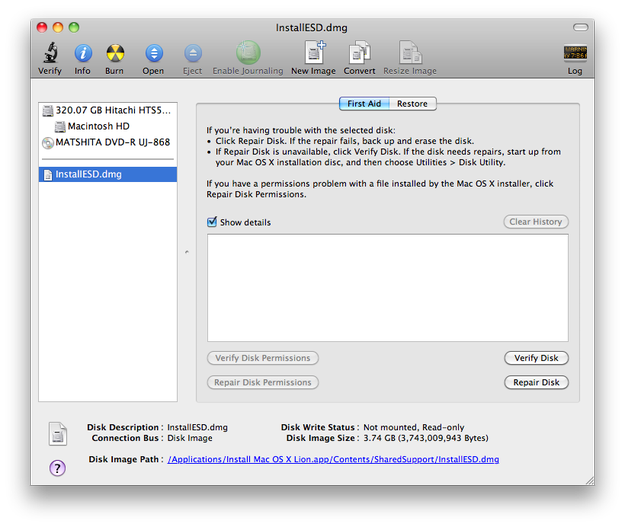
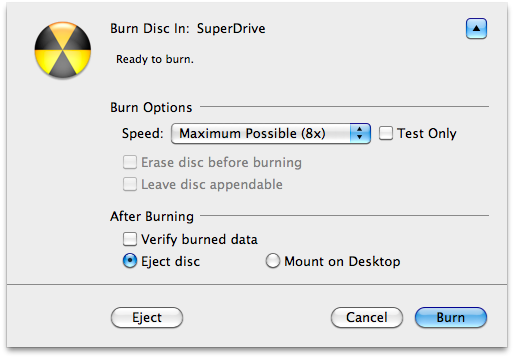
- The Disk Utility will show burning options, which you can tweak. After that click on the Burn button again and wait until the burning process is finished.
- To boot Mac OS X Lion installation from the DVD, put it to the drive, restart your computer and hold the C key on keyboard.
Lion Recovery Utility
One of new features in Mac OS X Lion is system recovery from the hard drive. Hold down Command + R keys during startup to run Lion Recovery utility. In Lion Recovery you can check or repair your hard drive, erase your hard drive and reinstall a fresh copy of Lion, or restore your Mac from a Time Machine backup. You can even use Safari to get help from Apple Support online.