
 Language
Related extensions:
Guide: Making ringtones for Windows Phone
 Custom ringtone is one of the most popular customization used on mobile phones. This feature is also integrated in the Windows Phone from version 7.5 (Mango).
To create ringtones for Windows Phone on Apple Mac computers, you will need Windows Phone 7 Connector application and Apple iTunes multimedia management software. Internet links for these applications are available at the end of the article.
How to create custom ringtone for Windows Phone on Mac
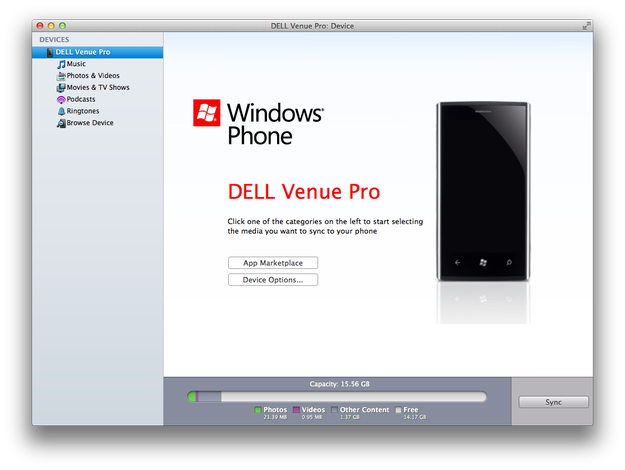
Windows Phone 7 Connector is the default management software for Windows Phone devices on Apple Mac that is capable of copying custom ringtones to phone. It is available for download on Mac App Store.
Windows Phone 7 Connector cannot edit audio tracks, but Mac OS X contains Apple iTunes multimedia player that can be also used as very simple audio editor.
Ringtone for Windows Phone properties:
- MP3 or WMA audio file format
- Size less than 1000 Kb
- The length be less than 40 seconds
- No DRM protection
Prepare Windows Phone ringtone in Apple iTunes for Mac
Open iTunes. Go to the Preferences (iTunes upper menu → Preferences). On General tab click on Import Settings button.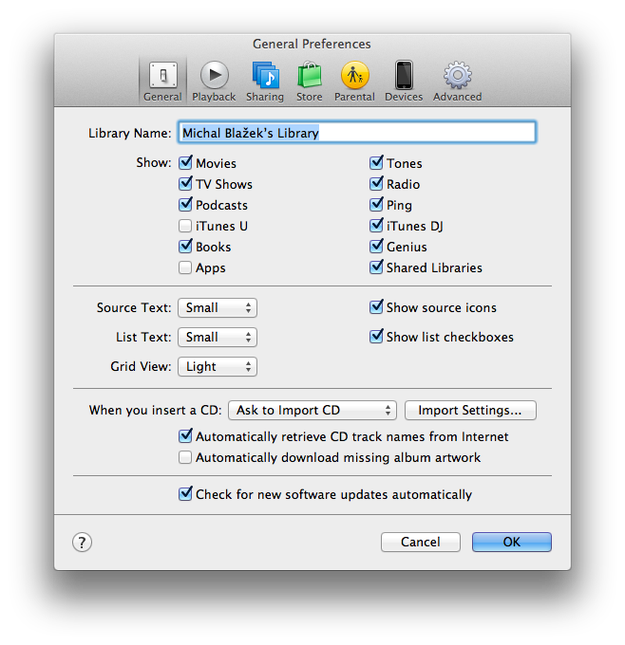
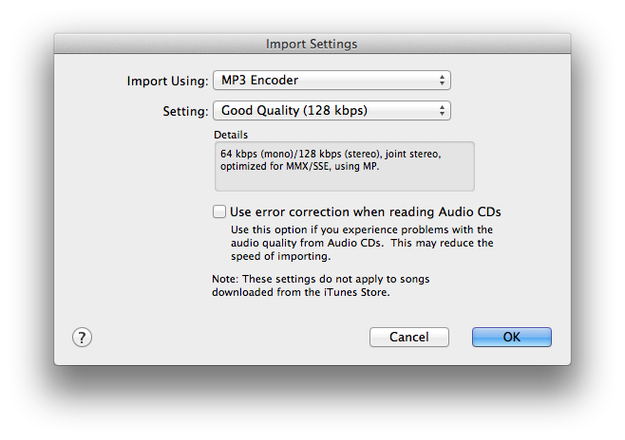
Set Import Using: option to MP3 Encoder, Setting: option to Good Quality (128kbps). Click on OK button.
Now search or import audio track to the iTunes, which you want to use as a ringtone. Click right mouse button on the audio track and select Get Info option.

Click on Options tab. Check the boxes Start Time and Stop Time and set these times. Remember the length of Windows Phone ringtone must be less than 40 seconds! Click on OK button.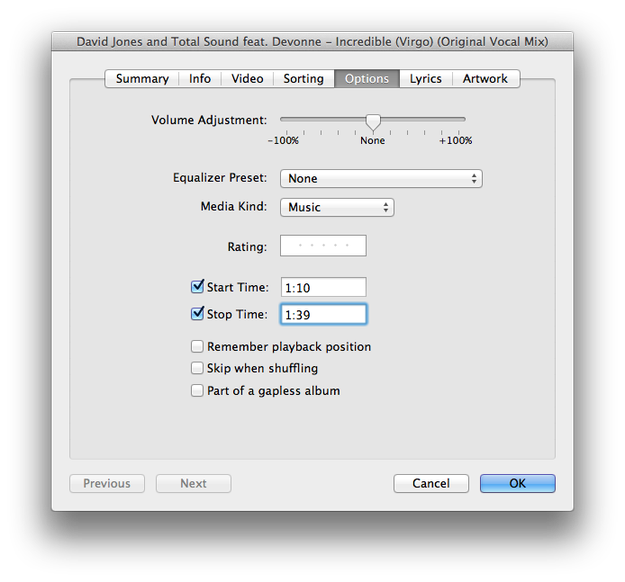
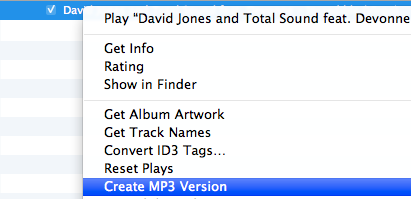
Right click on a customized track and select Create MP3 Version.
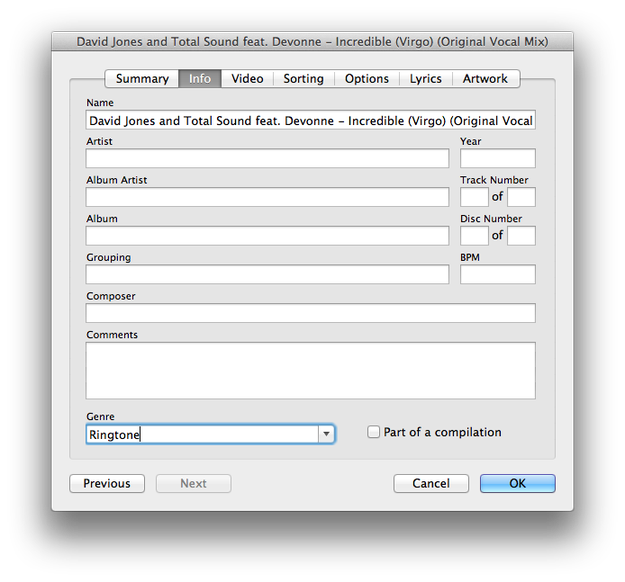
After that right click on a new track and select Get Info option. Click on Info tab. To Genre text box type Ringtone and click on OK button.
Import custom ringtone to Windows Phone
Open Windows Phone 7 Connector. Connect your Windows Phone to USB and wait a second till the application check the phone and computer databases with photos, music, movies etc.
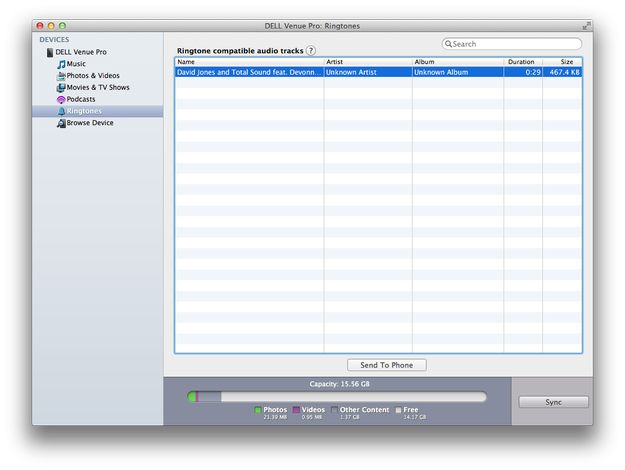
Now click on Ringtones options in the right menu. Click on ringtone that you want to transport to the Windows Phone and click on Send To Phone button.
Disconnect the phone from USB and go to:
Start → Settings Windows Phone settings icon → Ringtones + Sounds screen and simply change the ringtone to the new one.
And that's it! You have prepared customized ringtone in the phone and now you can wait for incoming calls.